
Google Maps! Find Assistive Listening Systems
Know B4 You Go! Use your smartphone or computer to find assistive listening systems under the Accessibility section in Google Maps.
Google Maps indicates whether a location has one or all of the following hearing accessibility options:
- Assisted listening devices. This category includes both 1:1 solutions such personal amplifiers and the receivers used in a 1:many solutions such as FM/RF and infrared assistive listening systems.
- Assistive hearing loop. These hearing loops might be at service counters, presentations, services, and events.
- Auracast broadcast audio.
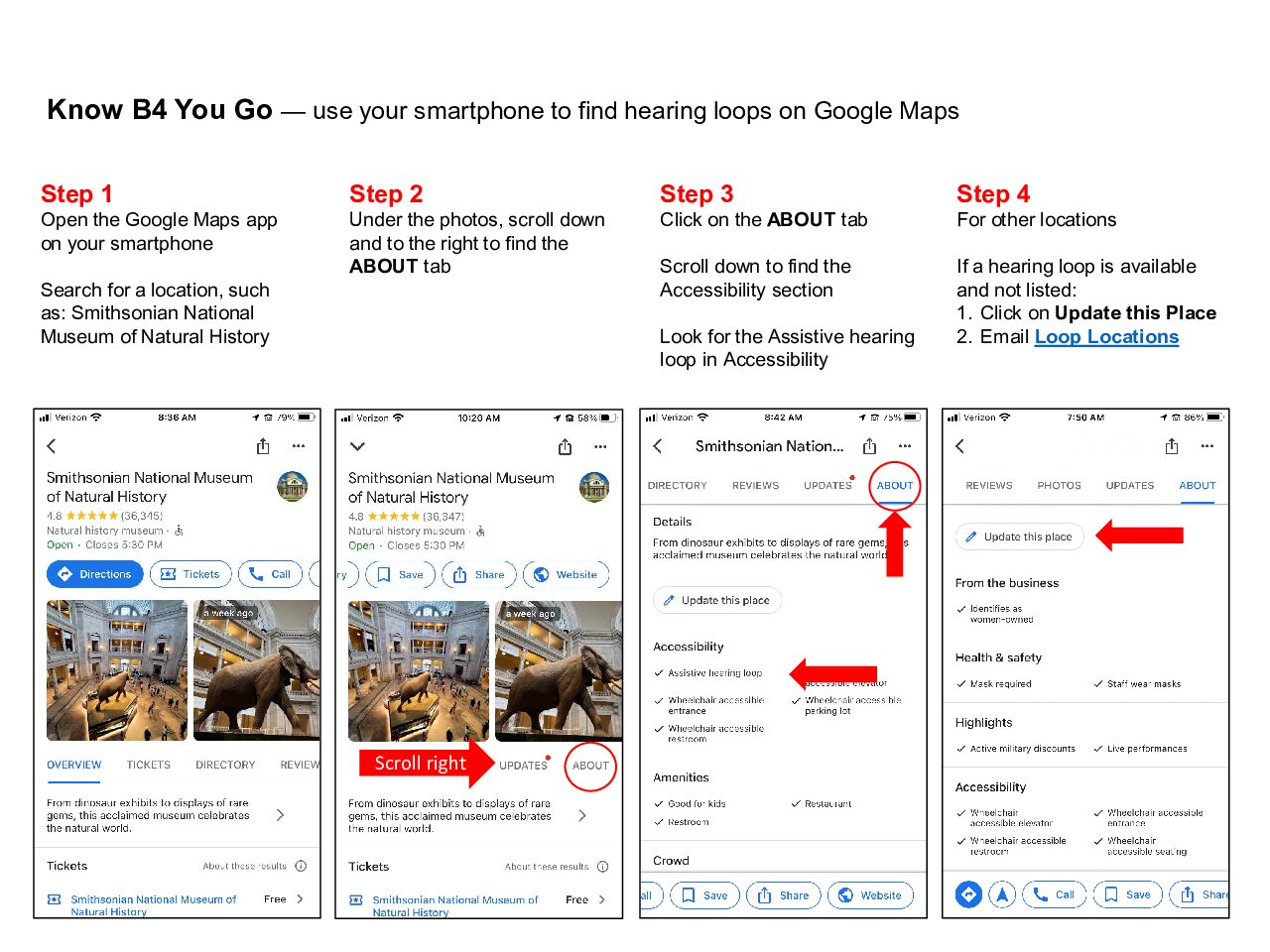
Staff members can update their information in their business profile and consumers can suggest revisions by clicking “Update this place.”
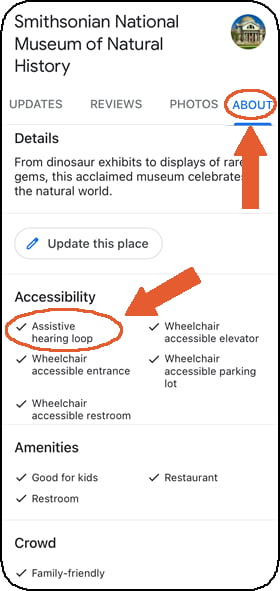
Smartphone screenshot showing hearing loop at the Smithsonian. Click on “About” to reveal the accessibility attributes for each location.
pdf
659 KB
4 steps to find and optionally request an update hearing …
More Tools and Resources
- Google Reviews (this website). Once you’ve visited the location, leave a Google Review with a photo of the assistive listening system signage.
- Google Maps Now Includes Hearing Loops, HLAA blog post (webpage)
- Submit new hearing loop location information or revisions. Choose whatever you think is easiest!
- One location. Please email us with the name, full address, and website Contact info (this website)
- Several locations. Please email us for a simple Excel spreadsheet Contact info (this website)
