
Captions: Computer-Generated (ASR)
Computer-Generated Captions
(Institution provided or consumer provided). See handout below.
Captions are invaluable for people with hearing loss. Captions provide visual accommodations to supplement the spoken word.
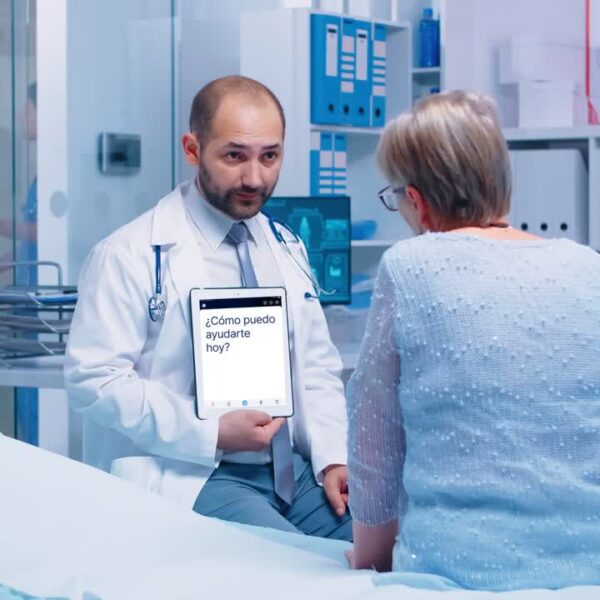
Computerized captions are better for shorter interactions, where accuracy isn’t as important – such as patient check-ins, some meetings, or in emergency situations when CART is not available, etc.
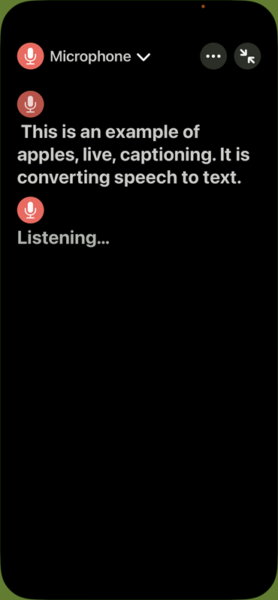
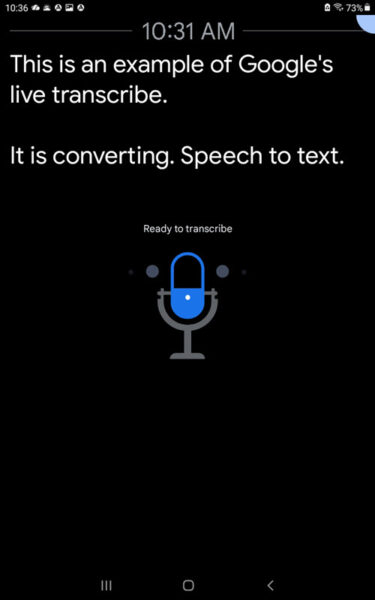
Computer-generated captions are also called “automatic captions,” “AI captions,” “speech-to-text apps,” or ASR (Automatic Speech Recognition). Smartphones, devices, and computers have apps to convert speech to text. Accuracy depends on keeping the microphone close to each speaker, how clearly people speak, background noises, and people speaking over one another.
Captions for Presentations
- Windows 11, for Windows and Mac
- PowerPoint captions
Captioning Apps and Built-in Capabilities
- Apple Live Captions (Settings -> Accessibility -> Live Captions) How to make accessibility shortcuts
- Google Live Caption (Android) and Live Transcribe (app)
- Communication Matters/Tina Childress, AuD My Favorite Captioning Apps for iOS and Android. Last updated 7/2024
ADA & Requesting Accommodations
Computer-generated captions can meet the requirements for “auxiliary aids and services” under Effective Communication with the Americans with Disabilities Act (ADA).
Consumers with hearing loss can be hesitant to ask for accommodations, and these accommodations are rarely offered without requests. It is imperative that staff realize the high prevalence of hearing loss in all populations and proactively offer services that enable people with hearing loss to understand the information.
Healthcare
Telehealth
- Both CART and speech-to-text captions can be integrated into telehealth platforms, or can be shown on a second device (more complex for the patient)
- Telehealth platforms are required to have computer-generated captions by January 12 2027, under the “interoperable video conferencing service” section in the FCC. Even this year (2026) other standards and regulations apply. Submit a complaint with the FCC if you do not have captions, and be sure to include the name of the software you used. Contact Center for Hearing Access for guidance and support; info about FCC complaints (this website)
HIPAA-compliant, speech-to-text. Links go to webpages that explain the company’s privacy. These companies are willing to sign a BAA (Business Associate Agreement) with a healthcare clinic subject to HIPAA, or because of their data privacy/data design, there is no need.
- Ava captioning. Desktop and app solutions for in-person or online needs.
- Caption Companion. A self-contained single-purpose standalone hardware device that works completely offline without internet.
- TranslateLive. Real-Time Text Transcription. Conversations are transcribed live, allowing individuals with hearing loss to access to conversations and information in real time.
- Windows 11. For Windows and Mac, is a good option if the telehealth platform doesn’t have built-in captions. The transcription is done locally on the device, meaning audio isn’t sent to the cloud (unless configured otherwise), and thus meets HIPAA compliance.
- Also see Human-generated captions (CART) for HIPAA options (this website)
Handouts
Articles
- Hamilton-Basich, M. (Apr 1, 2026). When Captioning Helps Patients Regain Connection. Hearing Review.
Resources
- Requesting captioning. Template for Town Halls and Meeting Events (Google doc) Download and customize.
- Captioning symbols (this website)
- All healthcare webpages (this website)
Virtual Conferencing Resources
- Teams: CART Teams and ASR Teams
- Zoom: CART Zoom and ASR Zoom
- WebEx: CART WebEx and ASR WebEx
Professional Organizations and Resources
- State Relay Programs. NASRA and the specific page showing each state and its relay administrator.
Please email the Center for Hearing Access with photos, videos, corrections, ideas, or additional products. Contact us (this website)
The Center for Hearing Access provides educational and informational resources and does not endorse any product, business, or service.